How to Respond to Google Reviews With AI (Without Sounding Like a Robot)
A 20-second workflow, templates for every star rating, a response generator you can use right on this page, and the handful of rules that keep AI-written replies from costing you customers.
In this article
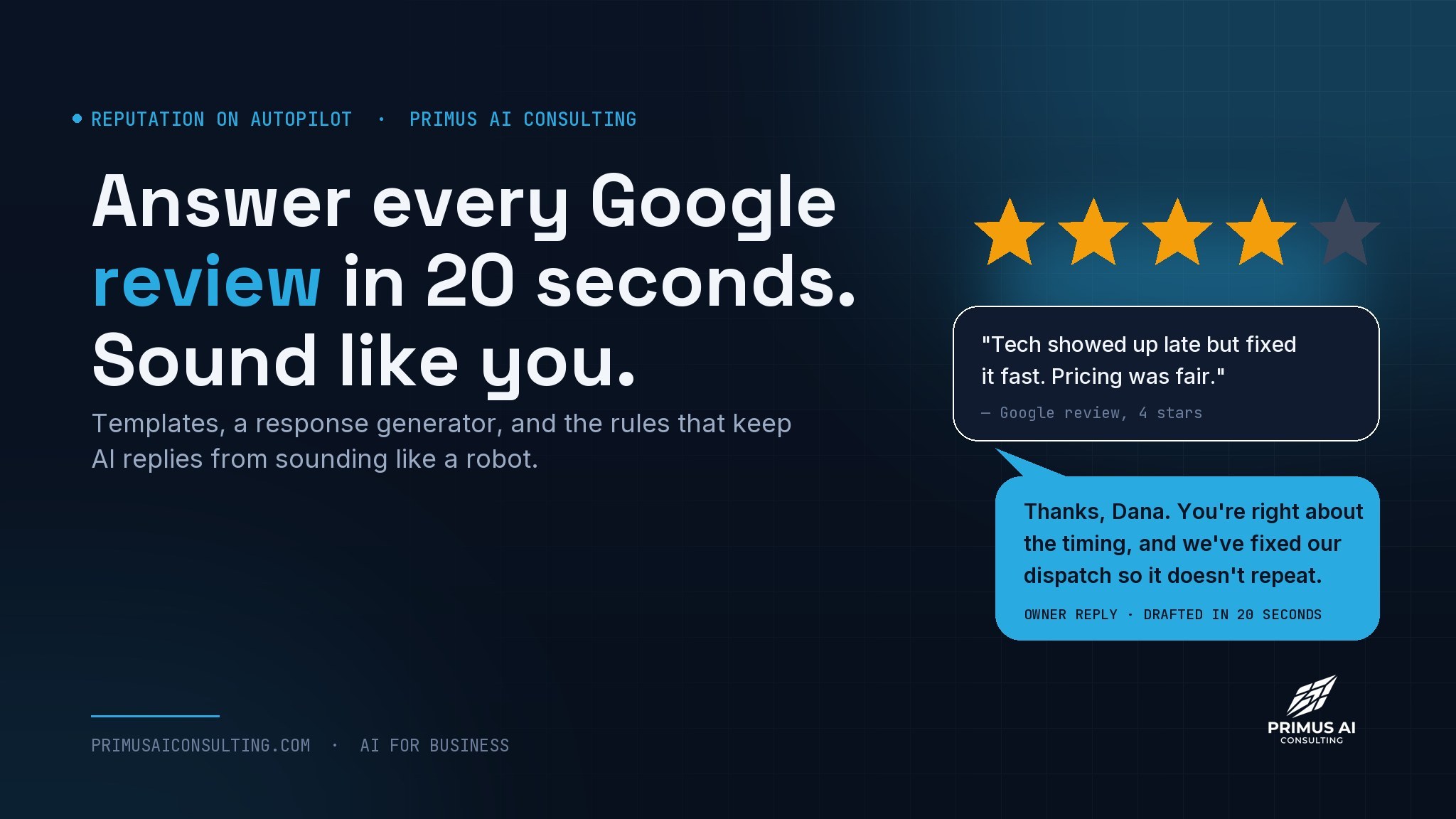
Most owners handle reviews in one of two ways. Either they reply to the five-star ones with “Thanks so much!!” and ignore the rest, or they write a long, wounded paragraph under every complaint at 11 p.m. Neither helps. A good reply takes about twenty seconds once you have a system, and AI is very good at the first draft as long as you give it three things: the review, your facts, and your voice. This article gives you all three, plus a generator you can use before you finish reading.
Who is actually reading your reply
The person who left the review will probably see your reply once, if at all. The people who matter are the ones who come after: a homeowner comparing three plumbers on a Tuesday night, scrolling to the two-star reviews to see how you handled them. Your reply is not a conversation with the reviewer. It is a demonstration for the next customer.
That reframe answers most of the hard questions. Should you defend yourself against an unfair review? Briefly, for the next reader. Should you match the reviewer’s anger? Never, because the next reader is deciding whether you are the kind of business that argues with customers. Should you reply to the five-star ones? Yes, because the next reader notices a wall of unanswered praise and wonders if anyone is home.
The 20-second workflow
This is the routine we teach owners in one sitting. After a week it is a reflex.
- Paste the review, not the reviewer.
Copy the review text into your AI assistant. Use the reviewer’s first name only. Do not paste their full name, phone number, address, or anything from their customer record.
- Add your facts in one line.
“We were 40 minutes late because the earlier job ran over; we have since added buffer time between jobs.” Facts are what turn a generic apology into a credible one.
- Use a saved prompt with your voice in it.
Once you have a style guide (the generator below writes one for you), the prompt is the same every time. The output sounds like you because the instructions describe you.
- Change one sentence.
Add a detail only you would know, or cut the line that sounds too smooth. This is the step that makes it yours, and it takes five seconds.
- Post, then log it.
If the review named a real problem, write down the fix you promised. Nothing damages a business faster than a reply that says “we’ve addressed this” when it has not been.
Response generator: try it now
This runs entirely on the page using templates, so nothing you type is sent anywhere. It will not be as tailored as a real AI assistant with your facts, but it shows the structure and gives you a draft to edit.
Draft a reply in one click
Templates by star rating
If you would rather work from a template than a generator, these are the five we hand to clients. Fill the brackets and change one sentence.
Thanks, [first name]. [One specific thing they mentioned] is exactly what we aim for, and I'll pass that along to [tech or team member]. If [the system / the work] ever needs attention, you know where to find us. [Your name], [business]
Thanks for the honest review, [first name]. Glad [what went well] worked out, and you're right about [the thing that cost a star]. We've [what you changed], so it should go smoother next time. Appreciate you taking the time. [Your name]
[First name], thank you for laying this out. You're right that [the specific issue], and that's on us. Since then we've [the fix]. If you're open to it, I'd like to make the next visit the one you expected. Call me directly at [phone]. [Your name], owner
[First name], I'm sorry. [The issue] should not have happened, and I understand why you're frustrated. Here's what we've done: [the fix]. I'd like to make this right. Please call me at [phone] or email [email] and ask for me. [Your name], owner, [business]
[First name], thanks for the feedback. Our records show [your version, one sentence, no accusations]. We take every review seriously, and if there's something we missed, I want to hear it directly: [phone]. To anyone reading, we're happy to explain how we handle [the topic]. [Your name], owner
Seven rules that keep you human
AI will happily write a reply that is polite, complete, and completely forgettable. These rules are the difference.
- Name the specific thing. “Glad the new thermostat is behaving” beats “glad you had a great experience.” Specifics are proof a person read the review.
- One apology, then action. Apologize once, clearly, and spend the rest of the reply on what you did. Three apologies read as groveling.
- Never argue in public. State your version in one sentence if you must, then move the conversation to a phone number. The next reader is watching your temperature, not your case.
- Ban the filler words. Tell the AI: no “amazing,” “awesome,” “we strive,” “valued customer,” or “we’re sorry to hear.” The list alone fixes half of what makes replies sound automated.
- Vary the length. A one-line thanks for a one-line review. A fuller reply for a detailed complaint. Identical lengths are a tell.
- Sign it with a real name. “Paul, owner” is accountability. “The Team” is a wall.
- Never post two identical replies. Reviewers compare, and so do future customers. If you use templates, change the opening every time.
What never goes in a public reply
Because you are replying in public, a few things are off limits no matter how justified they feel. Some of these are policy; some are law.
If a review violates Google’s own policies (spam, a competitor, someone who was never a customer, hate speech), you can flag it for removal from your Business Profile. Reply calmly in the meantime; removal can take a while and often does not happen.
Automating the asking, not just the answering
Replying well is half of reputation. The other half is getting reviews at all, and that is a consistency problem, which means it is a software problem. Most businesses ask for reviews when they remember, which is after a great job and never after a normal one. A tool asks every time.
A saved text message you send after every completed job with the review link. Free. Works as long as you remember, which is the weak point.
Your field service platform or a review tool sends the request automatically when the job is marked complete, then drafts your reply when a review lands. You approve and post. We list the options in our tools guide.
There is a level three, which is where our work starts. For a business with real volume, an agent can watch for new reviews, pull the actual job record to see what happened, draft a reply in your voice with the real facts, and hold it until you tap approve. The draft is right more often because it knows what the technician wrote in the notes. Nothing posts without a human. That last part matters more with reviews than anywhere else, because a bad auto-reply is public forever.
Questions owners ask
Is it okay to use AI to respond to Google reviews?
Yes. Google’s guidelines are about the review content being genuine, not about who drafts the business’s reply. What matters is that the reply is accurate, specific to the review, and reviewed by a person before posting. Using AI to write fake customer reviews is the thing that is prohibited, and it is now also illegal in the United States under the FTC’s rule.
How fast should I respond to a review?
Within a few days for positive reviews, within a day for negative ones. Speed on negative reviews signals to the next reader that you pay attention. The 20-second workflow above makes same-day realistic even for a solo owner.
Should I respond to every single review?
Ideally yes, and with software it is easy. If you must choose, respond to every negative and neutral review, and to positive reviews that mention something specific. A one-line thanks is enough for short positive reviews.
What if the review is fake or from a competitor?
Flag it through your Google Business Profile, then post a short, calm reply for future readers: “We have no record of this job and have reported the review. Anyone with a genuine concern can reach me directly at [phone].” Do not accuse anyone by name.
Can AI write the review request too?
Yes, and it should be short, personal, and sent right after the job. Prompt 19 in our prompt library is the one we use.
Want reviews handled without living in your phone?
Bring your review situation to a free 30-minute call. We will tell you whether a habit, a tool, or an agent is the right fix. Sometimes it is a setting in software you already pay for.
Keep reading